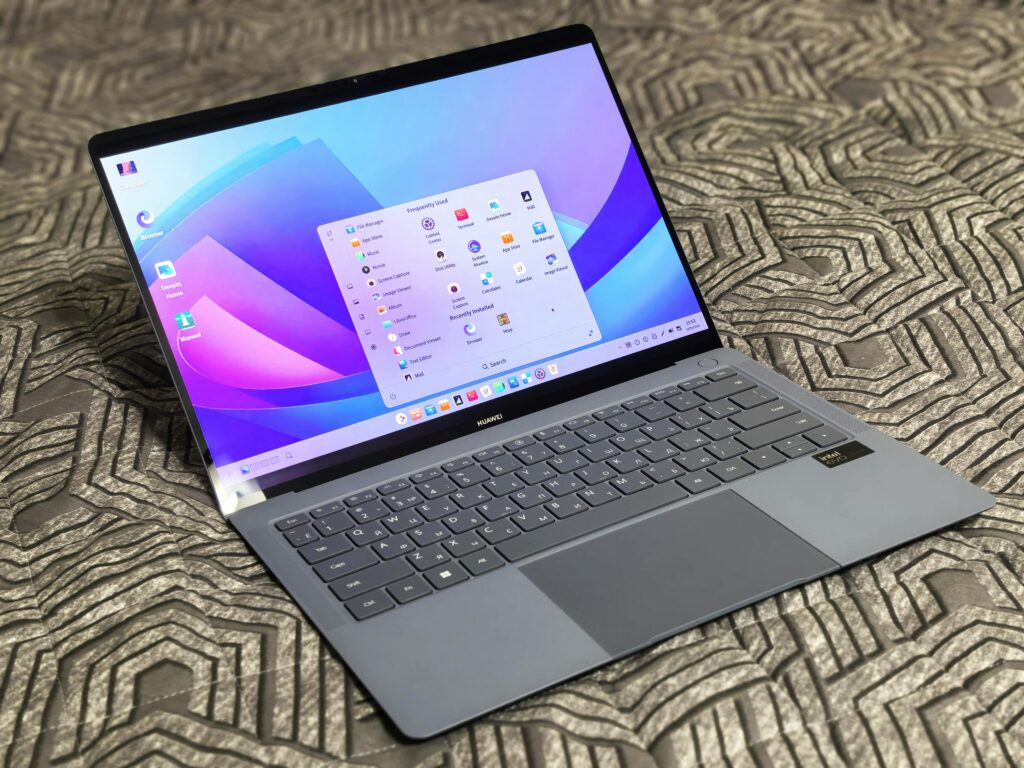
Looking for the best laptops? In 2026, the boundary between “budget” and “high performance” has blurred. You no longer need to spend $1,200 to get a machine that handles a dozen Chrome tabs, a high-definition Zoom lecture, and a complex research paper simultaneously. For the modern online student, a laptop is less of a luxury and more of a primary workstation.
At SmarterDegree, we are leaders in affordable online education, helping students fast-track their way to a degree by cutting out unnecessary costs. We know that saving money shouldn’t mean sacrificing quality—and that applies to your hardware, too. Just as we help you save up to 70% on your tuition through accelerated pathways, we want to ensure you find a reliable, high-performing computer without breaking the bank.
What Every Online Student Needs in 2026
Before we dive into specific models, let’s establish the “Smarter Degree” baseline. If a laptop doesn’t meet these minimums, it’s not a bargain—it’s a bottleneck.
- RAM: 8GB is the absolute minimum. In 2026, 4GB of RAM will cause your system to stutter the moment you open a second browser window for research.
- Storage: Look for a 256GB SSD. Avoid “eMMC” storage if possible; SSDs (Solid State Drives) ensure your laptop boots in seconds and loads your course materials instantly.
- Processor: Aim for an Intel Core i3/i5 (12th Gen or newer) or an AMD Ryzen 3/5 (5000 series or newer). These chips handle multitasking with ease.
- Display: Ensure it is Full HD (1920 x 1080). Lower resolutions make reading digital textbooks a chore and can lead to eye strain.
1. The Best All-Rounder: ASUS Vivobook Go 15 OLED
The ASUS Vivobook Go 15 has disrupted the budget market by bringing OLED technology—previously reserved for $1,000+ machines—into the sub-$500 range.
- Price: Approximately $399 – $499
- Key Specs: AMD Ryzen 5, 8GB RAM, 512GB SSD
- Why it’s perfect for students: The OLED screen is the star here. It offers superior contrast and low blue-light hardware certification, which significantly reduces eye fatigue during long study sessions. It also features a 180° lay-flat hinge, making it easy to share your screen if you’re collaborating on a project.
2. The Productivity Powerhouse: Lenovo IdeaPad Slim 3i
Lenovo’s IdeaPad line is the “reliable sedan” of the laptop world. It isn’t flashy, but it’s built to work as hard as you do.
- Price: $419.99 (Often on sale for $350)
- Key Specs: Intel Core i5-1235U, 8GB RAM, 512GB SSD
- Why it’s perfect for students: This model packs a punch with a 10-core processor. If your degree involves light data lifting, basic coding, or heavy multitasking across the Microsoft 365 suite, the IdeaPad Slim 3i is your best bet. At 3.1 lbs, it’s light enough to carry to a coffee shop or library without feeling like a brick in your backpack.
3. The Best for Pure Simplicity: HP Chromebook Plus 15.6″
If your entire degree is through Google Classroom, Canvas, or Blackboard, and you don’t need to install specific Windows-only software, a Chromebook Plus is a smarter choice.
- Price: $399 – $450
- Key Specs: Intel Core i3-N305, 8GB RAM, 128GB/256GB Storage
- Why it’s perfect for students: The “Plus” designation guarantees a certain level of performance. This HP model offers a crisp 1080p webcam—essential for online presentations—and an incredible 10+ hour battery life. Because ChromeOS is lightweight, this laptop feels faster than a Windows laptop with the same specs.
4. The Value King: Acer Aspire Go 15
Acer has long been the champion of the “budget but capable” category. The Aspire Go 15 is designed specifically for the student who needs a “no-frills” machine that just works.
- Price: $299 – $350
- Key Specs: Intel Core i3-N305, 8GB RAM, 128GB Flash Memory
- Why it’s perfect for students: At nearly $200 below our budget cap, this is the ultimate budget move. While the storage is smaller, most online students rely on cloud storage (Google Drive/OneDrive) anyway. It includes a backlit keyboard—a rarity at this price point—which is a lifesaver for late-night essay sessions.
Comparison Table: At a Glance
| Model | Best For | Processor | RAM | Price (Est.) |
| ASUS Vivobook Go 15 | Screen Quality | AMD Ryzen 5 | 8GB | $399 |
| Lenovo IdeaPad Slim 3i | Multitasking | Intel Core i5 | 8GB | $419 |
| HP Chromebook Plus | Battery Life | Intel i3-N305 | 8GB | $400 |
| Acer Aspire Go 15 | Tight Budgets | Intel i3-N305 | 8GB | $299 |
Crucial Tips for Buying Your Student Laptop
1. Check for Student Discounts
Never pay the sticker price. Use platforms like ID.me or UniDays to get an extra 5% to 15% off at Dell, HP, and Lenovo’s official stores. Often, this can bring a $550 laptop down into your $499 budget.
2. The “Refurbished” Secret
A “Certified Refurbished” laptop from a reputable source (like Amazon Renewed or Best Buy Outlet) can allow you to get a $700 machine for $450. Look for “Grade A” or “Excellent” condition to ensure you’re getting a product that feels brand new.
3. Windows “S Mode”
Many budget laptops come in “Windows 11 in S Mode.” This only allows apps from the Microsoft Store. It’s safer and faster, but if you need to download a specific browser or software for class, you’ll need to switch it to “Home” mode. Note: Switching out of S Mode is free and easy, but it is a one-way street—you can’t go back.
4. Battery Realities
Manufacturers often claim “12 hours of battery life.” In a real-world scenario with five Chrome tabs, a Spotify playlist, and a Zoom call running, expect 6 to 7 hours. Always keep your charger in your bag, or look for laptops that support USB-C Charging.
Final Verdict
The mission of SmarterDegree is to make higher education accessible, fast, and affordable. Choosing the right tech is the first step in that journey. If you want the best visual experience for long study hours, go with the ASUS Vivobook Go 15 OLED. If you need a workhorse that can handle more intensive applications, the Lenovo IdeaPad Slim 3i is the winner.
Online learning is challenging enough—don’t let an outdated, slow laptop be the reason you fall behind. By choosing any of the models above, you’re investing in a tool that will last through your graduation and into your first professional role.
Ready to start your future smarter? Check out our accelerated degree plans to see how you can use your new laptop to finish your degree in record time.